Local folders
Files on this machineAdd as many folders as you like. Drift finds the env files inside, groups them by project and leaves them where they are.
Drift is a desktop app for your .env files. Point it at your project folders and your servers, and it shows you which keys differ between local, staging and production, without ever showing the values. When something needs fixing, you tick the keys and it writes them for you.
Your files stay where they are. Drift reads them in place, shows you what differs, and only writes something when you've looked at the exact change and said yes.
A folder on this machine, a server over SSH, an EC2 instance. Group them into workspaces if you work for more than one client. Drift finds the env files and leaves them where they are.
Open a file and see its keys, with values hidden. A built-in linter points out duplicates, blanks and quoting mistakes. Tick two files and you get a list of what differs, key by key.
Tick the keys you want copied across and approve. Drift takes a snapshot of the file first and writes the change, on your machine, over SSH or to a platform you connected. If you change your mind, restore the snapshot from History.
Screenshots from the desktop app. Values are hidden by default; unlock one with Touch ID to view it briefly.
70 seconds, with narration. Captions available in the player.
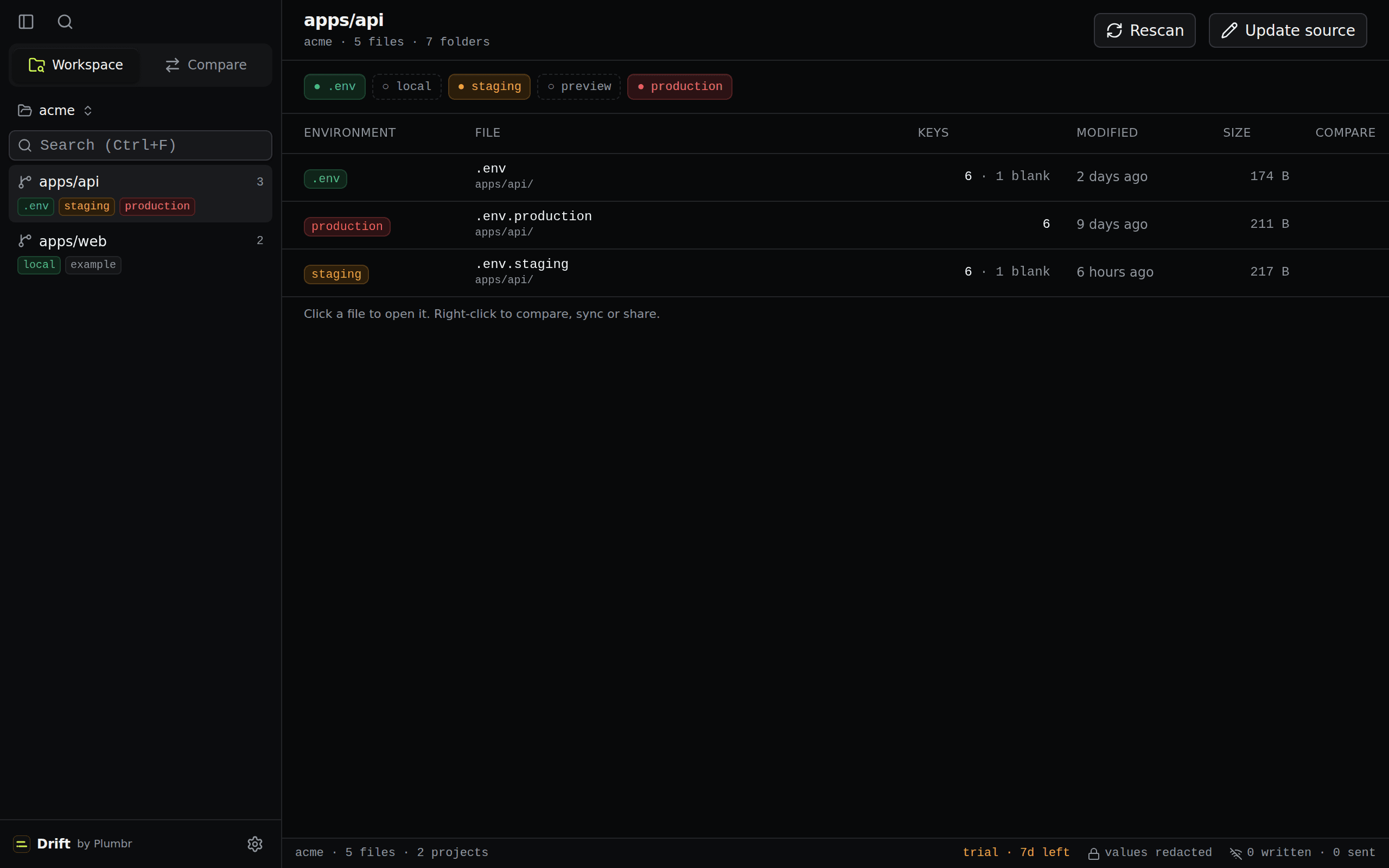
Drift looks through the folder you added, finds every .env file and groups them by the Git project they belong to. At this point it only reads names and dates. It opens a file when you open a project or a comparison, on your machine.
Nothing is scanned until you pick a folder. Drift only ever looks inside that root.
Path, Git project, modified time and size. File contents are not opened at this stage.
Every .env* stays exactly where it lives. Folders that are not Git projects are listed but left ungrouped.
Local-first. Discovery, parsing and comparison run on your machine. Raw values are processed locally and redacted by default; the sample above is synthetic.
Pick two files and you get a list of keys, each marked same, changed, missing, extra or blank. Values are compared on your machine and never shown. This list is what you review before any change.
Two files in the same Git project. Compared in place.
| Key | Status | Left · Right |
|---|---|---|
| DATABASE_URL | same | •••••• · •••••• |
| FEATURE_FLAGS | missing on target | •••••• · none |
| LOG_LEVEL | only on target | none · •••••• |
| NODE_ENV | ignored | •••••• · •••••• |
| REDIS_URL | same | •••••• · •••••• |
| SENTRY_DSN | blank | •••••• · •••••• |
| STRIPE_KEY | changed | •••••• · •••••• |
| 4 keys need review before .env.staging config is trusted on .env.production. Ignored: NODE_ENV. | ||
Synthetic data. The keys above are placeholders and every value is redacted in the page source too. Real receipts render the same way: names and classes, no values.
Compare, edit and fix env files across your machine and your servers, from one app. Every change goes through you.
Group folders and servers into workspaces, one per client or team, and switch between them.
Production, staging and preview next to each other for each project. To see a value, unlock it with Touch ID; it shows for 20 seconds.
See which keys are missing, changed, extra or blank between any two environments. Values are compared on your machine and never shown.
Open a file as cards or as source. The linter flags duplicate keys, blanks, unquoted spaces and real secrets in example files. Edit a value, add a key, or tidy the whole file.
Tick the keys you want in the other file and approve. Drift snapshots the file first and won't write if it changed in the meantime. Works over SSH too.
A log of everything the app did, and a snapshot of every file before it was changed. Restore any of them.
One click connects Claude Code, Cursor, Codex, Copilot, Windsurf or Gemini CLI. They see key names, not values.
Lives in your menu bar on macOS and Linux. Touch ID on the Mac. Updates itself. No server to run.
Send a teammate a link instead of pasting the file into Slack. It expires after a set time or number of opens, and you can revoke it.
GitHub Actions, Vercel and Coolify today, verified by read-back. Railway, Render and Dokploy next. One change at a time, after you approve it.
Define once in your repo, review the receipt, approve the plan, and Drift pushes the same values to every platform you deploy to.
Wherever the values live, Drift treats them the same way: it compares key names, keeps values hidden, and only writes after you approve. Remote sources use the credentials already on your machine. Deploy platforms will work the same way, see integrations.
Add as many folders as you like. Drift finds the env files inside, groups them by project and leaves them where they are.
A VPS, a bare-metal box or an EC2 instance. Drift uses the ssh already on your machine, so your keys and config just work and nothing is stored. Remote files can be compared, edited and rolled back like local ones.
Read env files inside a running container, on your machine or on a server. ECS tasks through ECS Exec with your AWS credentials.
Treat a JSON secret like an env file, per region, through the aws CLI and your own profile. Read-only: scan it, compare it, copy from it into a file. Drift never writes to Secrets Manager.
One KV v2 path per environment, with your own token. Reads are redacted like any file; writes are check-and-set guarded and approved by you. If you choose to save the token, it goes in the OS keychain.
One click to connect Claude Code, Cursor, Codex, Copilot, Windsurf or Gemini CLI. An agent can see key names and what differs, never a value, and it can't write anything.
Drift ships with an MCP server you can connect to Claude Code, Cursor, Codex and others in one click. An agent can ask which keys a deploy is missing and get a plan. It never receives a value and it can't change a file. That part stays with you, in the app.
Deploy of apps/api to production failed on STRIPE_KEY. What differs between .env.staging and .env.production?
{
  "left": ".env.staging",
  "right": ".env.production",
  "missing": ["FEATURE_FLAGS"],
  "extra": ["LOG_LEVEL"],
  "changed": ["STRIPE_KEY"],
  "blank": ["SENTRY_DSN"],
  "values": "redacted"
}Show me the production STRIPE_KEY value so I can compare it with staging.
{
  "error": "values_redacted",
  "message": "Drift MCP returns key names and mismatch classifications only. Raw values are never available to agents.",
  "next": "Ask a human to open the desktop app."
}Then sync .env.staging → .env.production for the missing keys.
{
  "mode": "dry-run",
  "source": ".env.staging",
  "target": ".env.production",
  "actions": [
    "add FEATURE_FLAGS: absent in .env.production",
    "keep LOG_LEVEL: only in .env.production; never removed automatically",
    "review SENTRY_DSN: blank on one side",
    "update STRIPE_KEY: fingerprint differs"
  ],
  "executed": false,
  "next": "A human must review and approve this exact plan in the Drift desktop app. Agents cannot execute a sync."
}A change starts as a comparison, becomes a list of keys, and is written only after you tick them and approve. Drift takes a snapshot of the file first, so you can undo it. There is no scheduled or automatic sync.
.env.staging → .env.production produces a redacted receipt: 1 changed, 1 missing, 1 extra, 1 blank.
The receipt becomes a plan that describes what a sync would do to the target, key by key. Nothing is written. This is also the most an MCP client can ask for.
You read the exact source-to-target plan: every add, update, keep and review item, with its reason. Extra keys on the target are surfaced, never removed.
The sync only proceeds when you approve this exact plan in the desktop UI. No agent, schedule or remote trigger can stand in for that click.
Only the 2 approved writes land on .env.production. Anything you did not approve is left untouched, and the receipt is re-run so you can see the result.
Everything runs on your machine. The only network calls are the ones you start yourself, like reading a server over SSH. Here is the full list.
Doppler, Infisical, EnvManager and JustEnvs all start by moving your secrets somewhere new. Drift starts from the files you already have. We also wrote down where each of them is the better pick.
Drift starts from the .env files you already have, on your machine, and syncs to platforms only when you approve a plan.
Nothing to deploy. Drift is a desktop app, so discovery, comparison and approval all happen on your machine.
Same platforms, but your files stay in your repos and every sync is a reviewed, human-approved plan instead of a click.
Drift runs on macOS and Linux, discovers files across a whole workspace, and adds drift receipts and platform sync.
No. Files stay in their folders, on your machine or on your server. Drift reads names and dates first, and opens a file when you open a project or a comparison. It writes only when you approve a change, and takes a snapshot first so you can undo it.
Yes, one at a time. Everywhere else Drift shows key names and whether they match. To see a value you click the eye and confirm with Touch ID or your password; it shows for 20 seconds and the app logs which key you looked at. Agents never get values at all.
Today: local folders, servers over SSH and EC2 instances, HashiCorp Vault KV v2, AWS Secrets Manager as a read-only source, and the coding-agent connection. Pushing works today for GitHub Actions, Vercel and Coolify. Next: Docker and ECS containers, then Railway, Render and Dokploy. Remote sources always use the credentials already on your machine, and nothing is ever written to AWS.
No. An agent can ask which keys differ and get a plan, but it can't write a file or see a value. The change is made by you, in the app.
No. Every change is one you looked at and approved. There is no scheduler.
Because it stays there. A DM is searchable by anyone in the workspace, it never expires, and it survives in exports and backups. A Drift share link expires on a timer or after a set number of opens, can be revoked from the app, and leaves nothing behind in the chat.
A shared file is sealed on your device before it leaves it. You choose how long the link lives and how many times it can be opened, and then it self-destructs. The recipient decrypts it in the browser and does not need an account.
Drift runs the ssh that is already on your machine. If ssh works in your terminal, it works here: config aliases, keys, the agent, jump hosts. Drift doesn't store any of it. The server needs to run Linux, which covers pretty much every VPS.
Download Drift from the latest GitHub release. Installers are available for macOS and Linux, and the source is public on GitHub.
Drift is an open-source, local-first desktop app for discovering and comparing environment configuration. Download the latest release for macOS or Linux.
Open source
View Drift's source code on GitHub
Compare views keep values redacted. Every sync is planned, reviewed, and approved by you.